

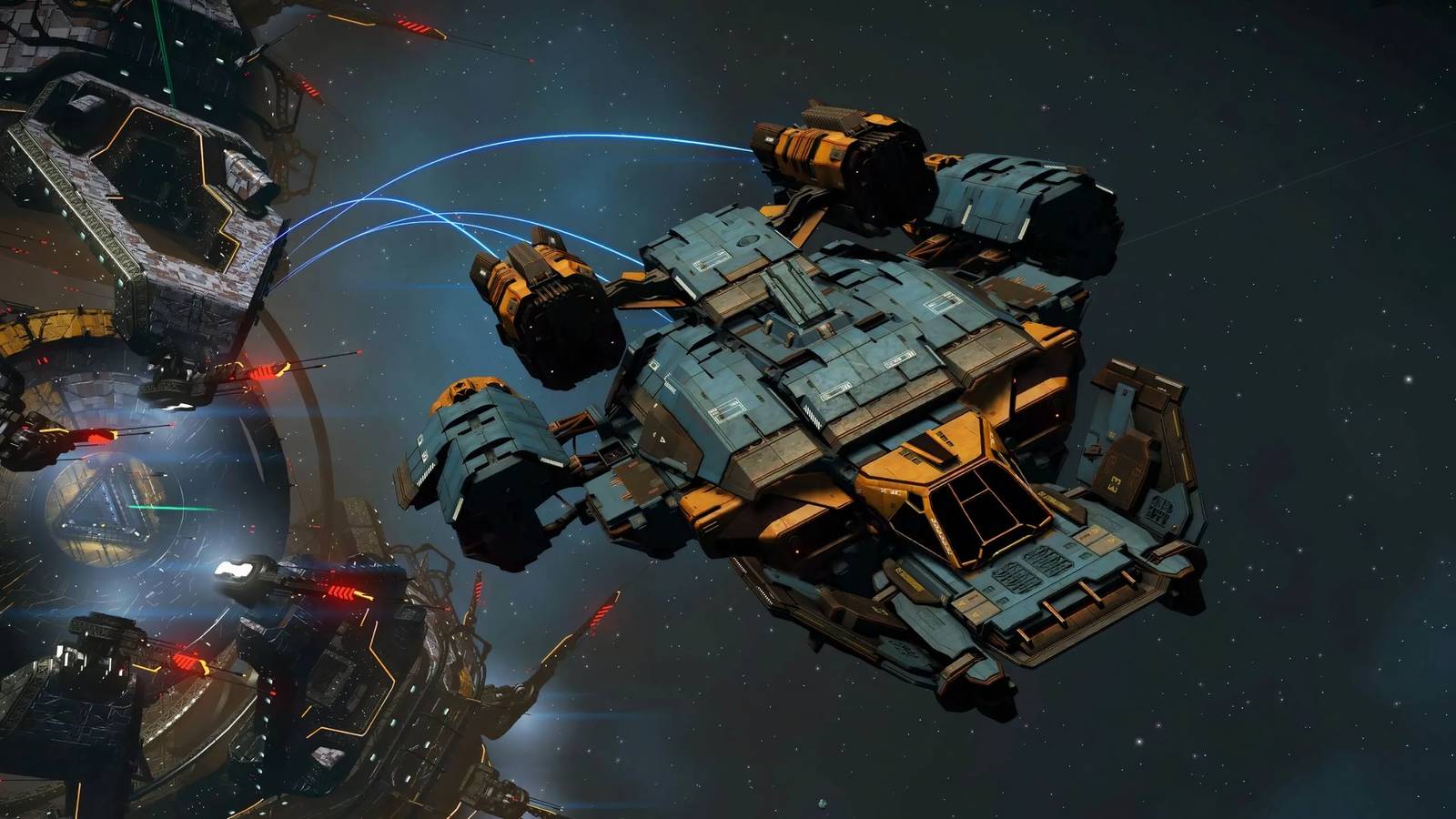
The Expedition 19 Redux: Corvette is part of the 2025 holiday events in No Man’s Sky.
This Expedition focuses on the corvette ship class. Players acquire a corvette early on and utilize it throughout the entire journey, upgrading it and exploring space to leverage its distinct capabilities.
This guide assists in completing the Expedition efficiently.
Starting the Expedition and Preparation

Starting the Expedition offers two methods: beginning a new save in Expedition mode or accessing it from an existing save via the Space Anomaly.
Using a pre-existing save is advisable, as it allows for transferring items, which can significantly accelerate progress.
If using an existing save, consider storing the following resources at the Space Anomaly for this Expedition:
- Silicate Powder x30
- Carbon x30
- Silver x120
- Gold x270
- Frost Crystal x250
- Warp Cell x1
- Tritium x300 as a backup for your Pulse Engine
- Runaway Mould to sell for Nanites, optionally.
These resources become retrievable only after unlocking the Space Anomaly following the first warp in the Expedition, meaning the initial resource gathering cannot be bypassed.
For players starting a fresh save or lacking these resources, a dedicated section addresses how to acquire them when needed during the Expedition.
Claim all Milestone rewards as they become available, as they are essential for progression. Storage Expansion Slots can be declined to save them for a main save later.
Additionally, avoid black holes and refrain from installing unneeded modules. Unused modules can be sold for Nanites, which are necessary for certain Milestones and for transferring the Starship or Multitool to a regular save after the Expedition.
With these preparations in mind, the Expedition can now begin.
Early Exploration and Resource Gathering

Upon starting the Expedition, gather the essential resources for the first warp: Oxygen x30, Ferrite Dust x50, Copper x90, and Carbon x20.

After collecting these materials, follow the in-game marker to find and board the Starship. Answering the incoming call provides the Orbital Link blueprint.

Next, craft a Metal Plating, then construct a Portable Refiner. Use the Refiner to convert all collected Copper into Chromatic Metal.

Craft and activate the Orbital Uplink. Use it to teleport to the nearest Space Station, completing the “Link to the Stars” milestone.
After completing this milestone, ensure 8 unused storage slots are available. Claiming the reward provides the Corvette Basic Modules Pack.

At the Space Station, locate the Trading Station, then turn left to find teleporters leading to the Corvette Workshop. Interact with the workshop terminal.

Construct a new corvette, adhering to the minimum requirements displayed on the screen. With the resources from the previous milestone, finalize the build and exchange the current Starship for the new corvette.
Inside the corvette, use the Build menu to place a Mission Radar. This completes the “Ship Architecture” milestone. Claim the reward to receive and install 3 weapon modules.

Subsequently, use the in-game Photo Mode to photograph the corvette, completing the “Aperture” milestone. The Pearls and Gravitino Balls received as rewards can be sold.
Initiating Flight

The Mission Radar placed inside the corvette can now be dismantled for resources. Remember to sell the Pearls and Gravitino Balls.
Utilize the acquired funds to purchase Dioxite x125, Microprocessors x2, and as much Ferrite Dust as possible from the current Space Station.

Board the corvette and fly to the “Lonwick Delta” Flourishing Moon. Landing there completes the “Grounded” milestone. Install the Fishing Rig received as a reward.

Collect a Gravitino Ball on the moon, then re-enter the corvette. Fly into space and engage attacking Interceptors. Destroying 3 completes the “Anarchy” milestone.

To quickly evade pursuing Sentinels, exit the pilot seat and confirm a “Restore point saved” message. Then, quit to mode select from the options and reload the save; the threat should be gone.

Return to the Space Station. While en route, open the in-game menu, select “Autopilot Management,” and then “Maintain current flightpath.” Using this autopilot for 20 continuous seconds completes the “Cruising” milestone.
After completing “Cruising,” fly around and destroy 33 asteroids to complete the “Heavyweight” milestone.
Additionally, fly a total of 70,000u with the corvette to complete the “Flightpath” milestone. Upon completion, land at the Space Station.
Leaving the System

At the Space Station, visit the Technology Merchant to sell any unused modules. Then, purchase and install the Hyperdrive Modules from the merchant.
Purchase and install a C-Class Starship Shield Module. Dismantle it afterward to obtain a Wiring Loom and some Chromatic Metal, which are useful for Hyperdrive Engine repairs.

To leave the current system, select the “Resist: 1” milestone and warp to its marked location on the Galaxy Map. This action completes the “Can’t Take the Sky” milestone.
At this point, the Space Anomaly can be summoned to retrieve any previously stored resources.

Continue following the milestone marker until reaching the core of the Space Station. Interacting with it completes “Resist: 1.”
Install the X-Class Suspicious Hyperdrive Module obtained from the milestone rewards. Then, purchase Chromatic Metal x25 from the Space Station’s trade terminal.

To proceed, track and follow the marker for the “Resist: 2” milestone. This involves warping to another system and reaching its Space Station’s core, similar to previous steps.

Collecting rewards from “Resist: 2” provides Habitation Modules. Install these at the Corvette Workshop to complete “Advance: Expand.” Also, install the Pre-Packaged Hazmat Gauntlet from its rewards.
Note: If resources were not transferred from a main save, now is an opportune time to purchase Silver x120 and Gold x170 from traders.
Time for Some Salvaging

Depart the Space Station and fly to the “Loyd VIII” Glacial Planet. Engage the autopilot to maintain the current flightpath and orbit the planet.

As the ship flies, use the Visor to pinpoint Salvage Containers on the planet’s surface. Once located, pilot the corvette and use its weapons to shoot the container, collecting its contents without disembarking.
Repeat this process until 5 Corvette Modules are collected, completing the “Salvaging” milestone.
Optional Resource Acquisition

For players using a new save or those who lacked initial resources, this is the moment to acquire the necessary materials.
Land on Loyd VIII and gather the following resources:
- Frost Crystals x250
- Oxygen x30
- Carbon x70
- Silicate Powder x30
Utilize these materials to craft a single Warp Cell, which will be required later. This brings resource levels in line with players who transferred items via the Space Anomaly.
Continuing Resistance Milestones

Next, construct 3 Living Walls inside the corvette and plant 5 Frostwort. Avoid moving hull modules afterward, as this will reset plant growth.
After this, track and complete “Resist: 3” as with previous Resist milestones. Claim its rewards and install the 3 Thruster Modules to complete “Advance: Move.”

Proceed to the “Isabeaum” Torrid Planet and land near a body of water. Catch 3 fish to complete the “Proteins from the Sea” milestone.

Construct a Nutrition Unit inside the corvette and use it to cook any of the caught fish. This completes the “Fresh Rations” milestone.
Destroy 5 Corrupt Sentinels on this planet to complete the “Undying Horde” milestone. The Sentinel threat can be removed by reloading the save, as described previously.

Next, locate and document 3 distinct fauna on the planet to complete the “Wild Things” milestone. Use the Echo Locator received as a reward.

Follow the Echo Locator’s marker to a settlement. There, solve the Harmonic Interface puzzle at the terminal by matching glyphs to the numerical decimals provided in the hint.

After solving the puzzle, select “Deactivate Multi-Tool seal” and claim the Sentinel-class Multi-Tool, completing the “Reclaimed Weaponry” milestone.
Next, track and complete the “Resist: 4” milestone, which follows the same procedure as the previous three. Install the Corvette Shield Generators obtained from its rewards.
Defend and Destroy

At the Corvette Workshop terminal, trade for and install an additional Corvette Shield Generator to complete the “Advance: Defend” milestone.
Then, install the Corvette Weapon System modules received as a reward from that milestone to also complete “Advance: Destroy.”

Claim the rewards from this milestone and use them to unlock 2 additional Technology slots in the Starship’s inventory. Afterward, install a Conflict Scanner.

Utilize the Conflict Scanner to locate a pirate-controlled system, identifiable by a skull-shaped icon. Warping to this system completes the “Off the Radar” milestone.

Upon arrival in the system, visit its Space Station and acquire as many Illegal Black Market Goods as possible; the specific type is not important.
Next, track and complete the “Resist: 5” milestone by following its marker, similar to the preceding Resist milestones.

Claim the rewards from this milestone to receive 2 Corvette Reactor Modules. Install them on the ship to complete the “Advance: Heart” milestone.

While still at the Space Station, sell the previously purchased illegal goods. This action completes the “Under Their Noses” milestone.
Anomalies, Freighters, and More

Next, track the “Dwarfed” milestone. Use the Anomaly Detector obtained from previous rewards. Fly in space with the Pulse Engine until an Anomaly is found, then complete it to finish the milestone.

The Emergency Signal Scanner is now acquired from “Dwarfed.” Use it, along with the Pulse Engine, to locate a Derelict Freighter. Exploring it completes the “Spacewreck” milestone.

This provides a Sentinel Boundary Map. Use it to mark a Sentinel Pillar within the current system, to be addressed shortly.

First, check the Frostworts. All 5 should be ready for harvest; collecting them completes the “Silent Running” milestone.

Next, exit the corvette in space and use the Jetpack to fly for 23 seconds. This completes the “Extravehicular” milestone.

Afterward, resume following the Sentinel Boundary Map marker. Enter the atmosphere of the designated planet, then track the “Stardiving” milestone. Exit the corvette and dive towards the planet’s surface for 40 seconds to complete it.

Upon completion, continue following the in-game marker to the Sentinel Pillar on the planet. Destroy surrounding structures, then use the terminal to disable Sentinel forces, completing the “One, Zero” milestone.

Return to space and install an Emergency Warp Unit on the ship. Use an Emergency Warp from the Utilities menu to complete the final main milestone, “Fast Scramble!”

The Expedition is largely complete. However, two optional milestones can be finished in multiplayer for additional Quicksilver:
- Hitchhiking – Ride another player’s corvette for 7000u.
- Resistance – Imprint signatures at rendezvous stations. This is a community tally of the “Resist” milestones.
Finishing Up

With all milestones addressed, the Expedition is complete. Players can visit a Space Station to sell any remaining modules for Nanites, if desired. Afterward, proceed to the Space Anomaly and use its Expedition terminal to finalize the process.
If starting with a pre-existing save, transfer desired items back to the main save. For new saves, all acquired items are retained as the save transitions to a normal game state.

Finally, visit the Quicksilver Synthesis Companion at the Space Anomaly to collect rewards at any time.
This concludes the guide for efficiently completing Expedition 19 Redux: Corvette in No Man’s Sky.
