


Hollow Knight: Silksong offers a challenging experience, and its active modding community provides many ways to enhance gameplay. This guide explains how to install Silksong mods on Linux, SteamOS, and Steam Deck. Many mods utilize BepInEx 5, which will be the primary focus of these instructions.
Modding with Proton (Steam)
Using the Windows version of Hollow Knight: Silksong with Proton via Steam is often the most straightforward approach. This method also provides superior controller support. If using a Steam Deck or SteamOS, begin by switching to Desktop Mode.
- In Steam: Access the game’s Properties. In the General tab, add the following launch option: WINEDLLOVERRIDES=”winhttp=n,b” %command%

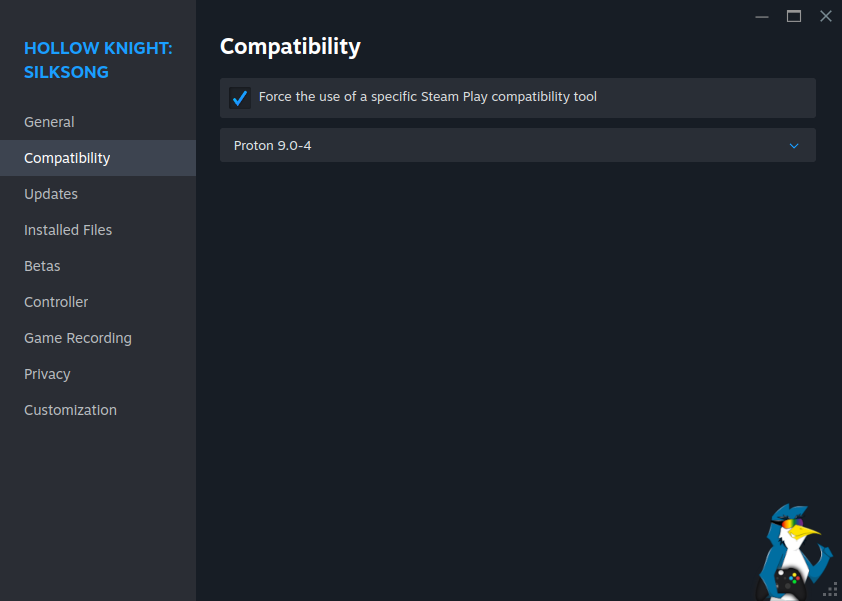
- In Steam: Navigate to the game’s Properties, then the Compatibility tab. Check the “Force the use of a specific Steam Play compatibility tool” box and select Proton 9 or Proton 10.
- In Steam: Right-click on Silksong, then select Manage, and finally Browse local files. This action opens the game’s installation directory. Keep this window open.
- To enable mods, first acquire BepInEx 5. This can be found on the Nexus Mods website.
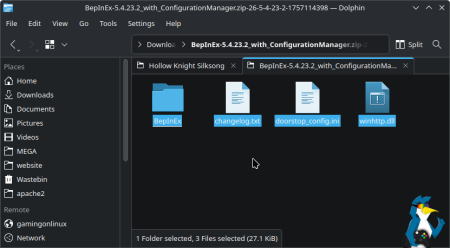
- After downloading, open a new tab in your file manager and go to your Downloads folder. Locate the BepInEx zip file and extract its contents.


- Open the extracted BepInEx folder. Copy all its contents and paste them directly into the main Silksong installation folder. The directory should then resemble the image below.
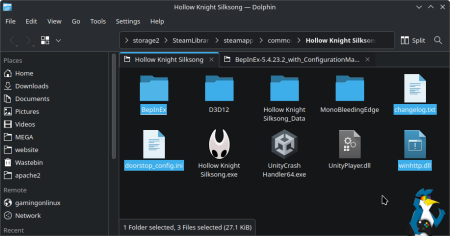
The initial setup is now complete, and the game is ready for mods.
To install a specific mod, place its files inside the BepInEx/plugins folder. For instance, the popular ShowDamage HealthBar mod displays enemy health bars and damage numbers.
- Download the mod, extract its folder from the zip file, and then move it into the
BepInEx/pluginsdirectory as shown.
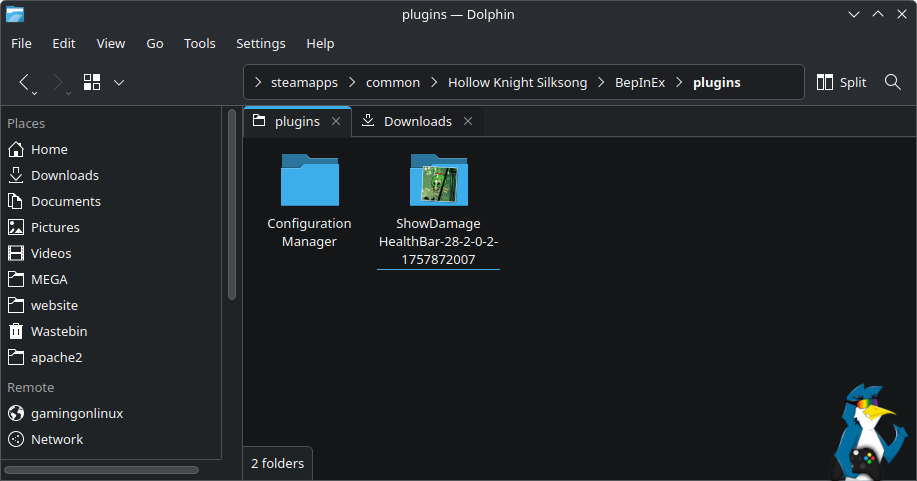
The mod is now installed. The image below demonstrates the mod in action, with a red health bar indicating its functionality. The health bar color and text for both standard enemies and bosses can be customized, making this a simple yet highly useful mod.

Modding with Native Linux (Steam)
While the Native Linux version is an option, using Proton is generally recommended for better controller support. The steps for Native Linux are as follows:
- In Steam: Right-click on Silksong, then select Manage, and finally Browse local files. This opens the game’s installation directory. Keep this window open.
- Download the latest BepInEx release specifically for Linux from GitHub. This file is typically found under the “Assets” heading, which may need to be expanded.
- Extract the downloaded zip file. Place the resulting BepInEx folder and its associated files directly into the main Silksong folder opened in the first step. The directory structure should match the image.
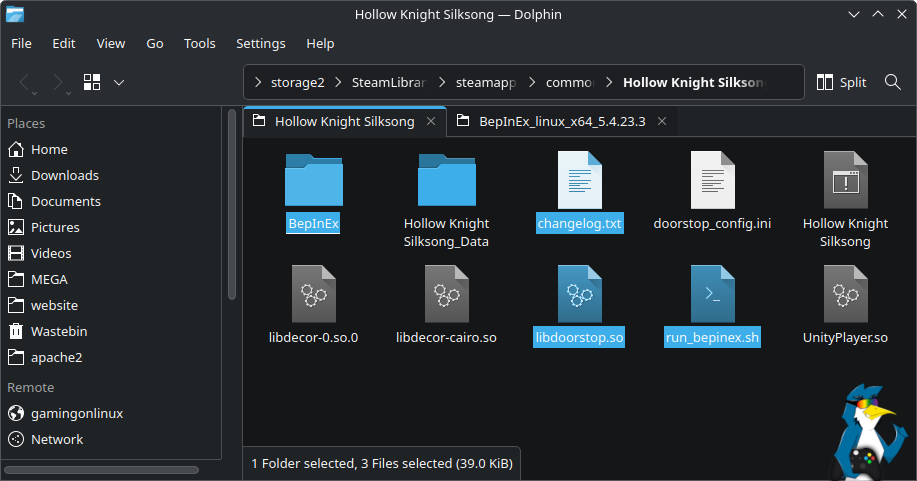
With BepInEx version 5.4.23.4 and newer, the issue with the run_bepinex.sh file for Native Linux has been resolved, eliminating the need for a separate download.
Follow these next steps:
- For KDE Plasma or SteamOS: Right-click on
run_bepinex.sh, go to Properties, and tick the “Allow executing file as program” box.
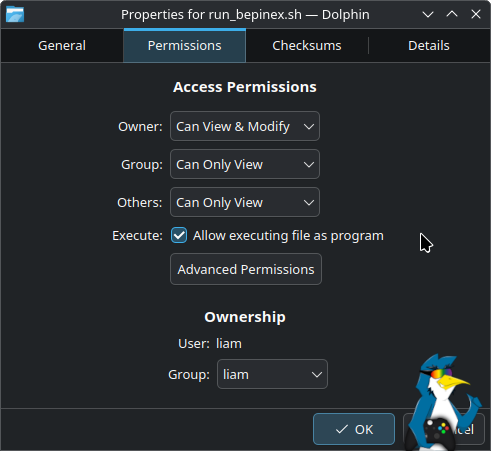
- Alternatively, open a terminal window in the game’s directory and execute:
chmod u+x run_bepinex.sh - Next: Open
run_bepinex.shin a text editor. Locate line 13 and modify it to:executable_name="Hollow Knight Silksong" - In Steam: Access the game’s Properties. In the General tab, add this launch option:
./run_bepinex.sh %command%

The setup for the Native Linux version is now complete.
To install a specific mod, place its files inside the BepInEx/plugins folder. For example, the popular ShowDamage HealthBar mod displays enemy health bars and damage numbers.
- Download the mod, extract its folder from the zip file, and then move it into the
BepInEx/pluginsdirectory as shown.
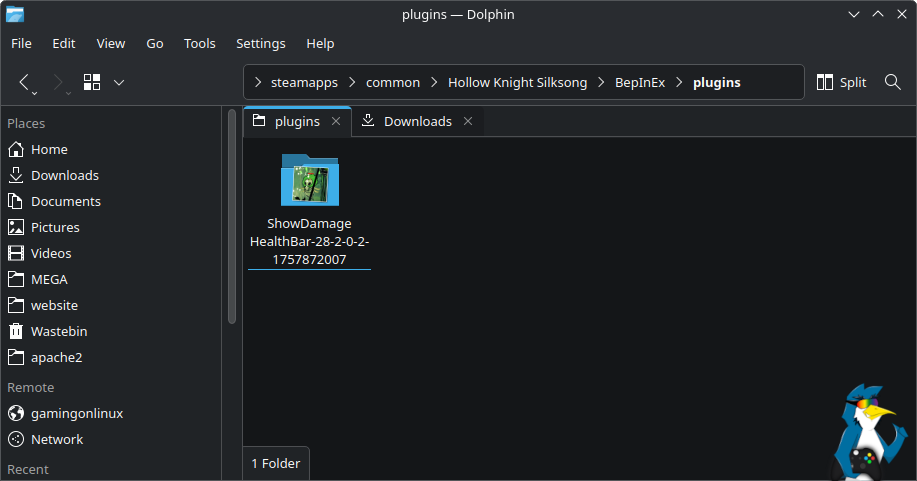
The mod is now installed. The image below shows the mod working in the Native Linux version, with a red health bar confirming its functionality. The health bar color and text for both standard enemies and bosses can be customized, making this a simple yet highly useful mod.