

This article explores the updated system requirements for Revit 2026, including performance benchmarks.
Autodesk Revit 2026 features a fundamental architectural change with the introduction of the Accelerated Graphics Tech Preview. This marks a transition from a historically CPU-dependent graphics pipeline to a modern, GPU-driven Hydra/OpenUSD engine.
For BIM managers and hardware enthusiasts, selecting a workstation configuration is no longer solely about processor clock speed. It now involves balancing single-core processing power for modeling tasks with sufficient VRAM bandwidth to support the new graphics engine.
Revit 2026 System Requirements
While Autodesk provides “Minimum” specifications, these are generally suitable only for viewing files, not for professional creation. The following outlines real-world standards for AEC production:
Component: CPU
- Minimum (Small Models): 2.5 GHz+ (8-Core)
- Recommended (Standard): 3.5 GHz+ (12-Core)
- Performance (Large/Complex): 4.0 GHz+ (16-Core+)
Component: RAM
- Minimum (Small Models): 16 GB
- Recommended (Standard): 32 GB
- Performance (Large/Complex): 64 GB – 128 GB
Component: GPU
- Minimum (Small Models): 4 GB VRAM (DX11)
- Recommended (Standard): 8 GB VRAM (RTX/Ada)
- Performance (Large/Complex): 16 GB+ VRAM (Blackwell/W7900)
Component: Storage
- Minimum (Small Models): 30 GB Free (SSD)
- Recommended (Standard): 100 GB Free (NVMe Gen4)
- Performance (Large/Complex): 500 GB+ Free (NVMe Gen5)
CPU Performance: Single-Core vs. Multi-Core
Revit continues to be primarily a single-threaded application for its “Edit/Modify” operations, such as calculating wall joins or regenerating views. However, multi-core performance has become crucial for tasks like Vector Printing, IFC Exporting, and background MEP calculations.
Estimated Revit 2026 Benchmarks: CPU Composite Score
Higher scores indicate better performance.
Processor Model: AMD Ryzen 7 9800X3D
- Modeling Score: 🟢 115
- Multi-Thread (Render): 🟡 82
- Thermal Efficiency: 🟢 High
Processor Model: Intel Core Ultra 9 285K
- Modeling Score: 🟢 112
- Multi-Thread (Render): 🟢 118
- Thermal Efficiency: 🟡 Medium
Processor Model: AMD Ryzen 9 9950X
- Modeling Score: 🟡 108
- Multi-Thread (Render): 🟢 122
- Thermal Efficiency: 🟢 High
Processor Model: Intel Core i9-14900K
- Modeling Score: 🟡 104
- Multi-Thread (Render): 🟡 110
- Thermal Efficiency: 🔴 Low (Hot)
Data Insight: The Ryzen 7 9800X3D often surpasses “higher tier” processors in Revit performance. Its substantial 3D V-Cache significantly reduces latency for Revit’s frequent memory-access instructions during modeling tasks.
The 2026 Graphics Revolution
Revit 2026’s Accelerated Graphics (Tech Preview) utilizes the GPU for geometry rendering through the Hydra framework.
- Impact: Navigation speed, including orbiting and zooming in 3D views, can be up to 4x–5x faster.
- The Catch: This feature demands more VRAM. If a model’s memory requirements exceed the GPU’s available memory, Revit will revert to the older, CPU-bound engine, resulting in slower performance.
- Benchmark Shift: In previous versions, a modest GPU was often sufficient. For 2026, an NVIDIA RTX 5070 or RTX 4000/5000 Blackwell is considered the new standard for smooth performance with large-scale BIM projects.
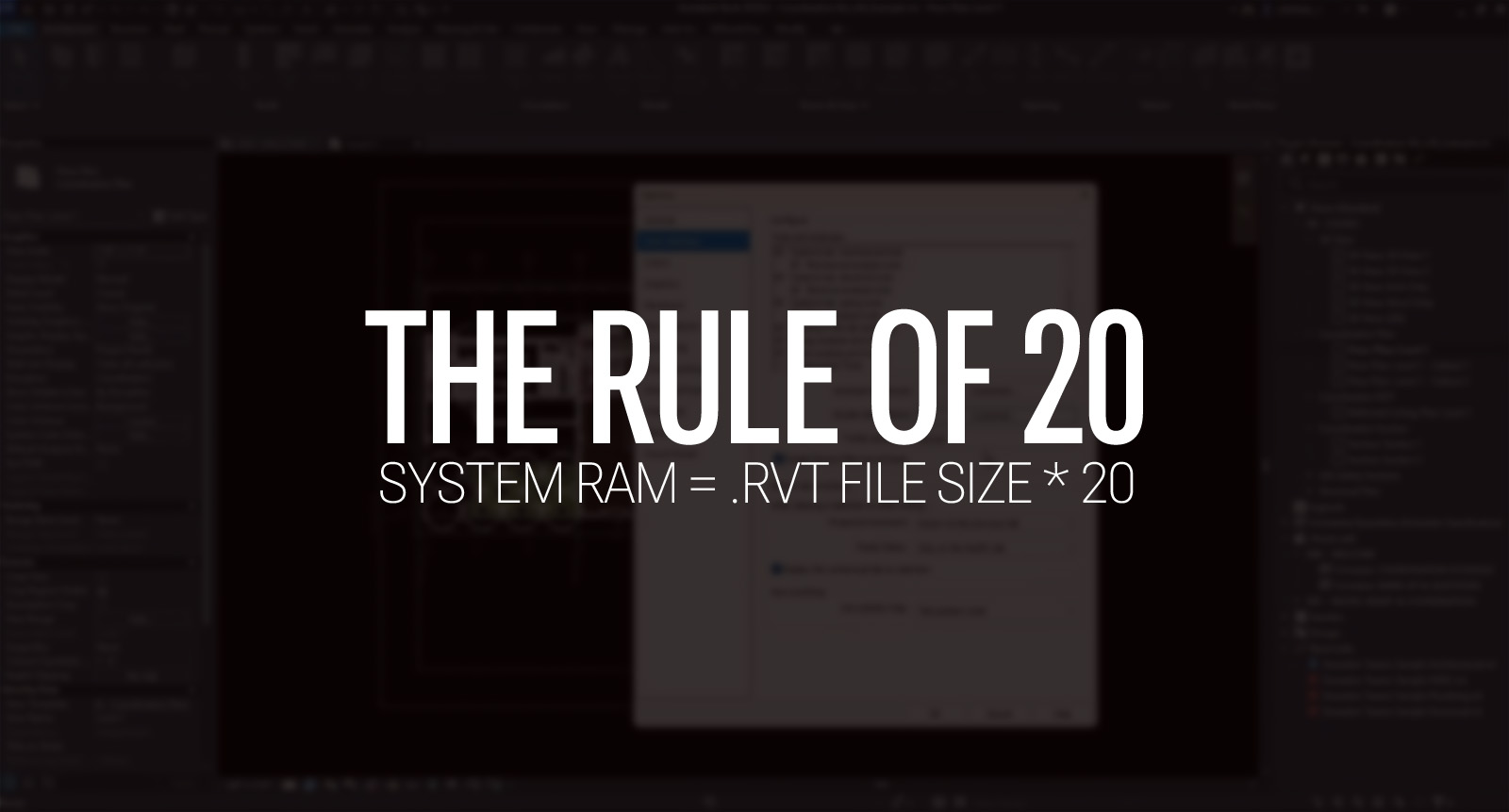
RAM: The “Rule of 20”
A practical guideline for Revit is the 20x Rule: the system’s RAM should be approximately 20 times the size of the .rvt file.
- For a 500MB Model: Approximately 10GB used by Revit plus 8GB for the operating system suggests a minimum of 32GB RAM.
- For a 1GB+ Model: 20GB+ used by Revit, linked files, and browser activity indicates 64GB RAM is recommended.
Hardware Buying Guide: 2026 Edition
- For the Pure Modeler: Prioritize the AMD Ryzen 7 9800X3D. Its cache provides a significant advantage for Revit’s responsiveness.
- For the BIM Manager/Heavy Multitasker: The Intel Core Ultra 9 285K is a better choice, excelling at background exports and managing numerous open applications.
- The GPU Sweet Spot: The NVIDIA RTX 4500 Blackwell (Professional) or RTX 5080 (Consumer) offers sufficient VRAM (16GB+) to prevent the new 2026 engine from encountering issues on large projects.
